
GST Invoice Software to Create Accurate Bills in Seconds
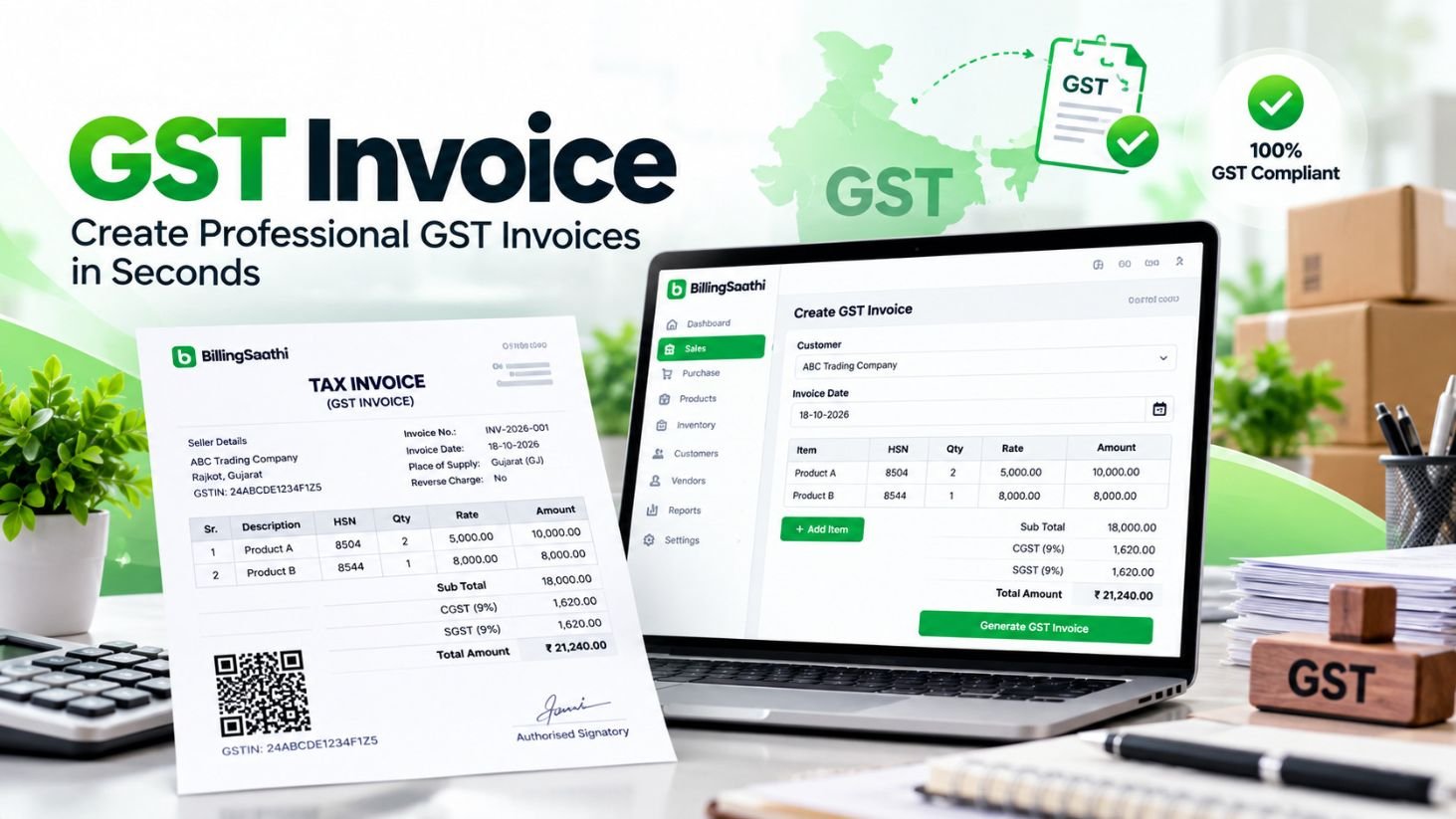
Create professional, GST-compliant tax invoices with automatic tax calculation, GSTIN auto-fill and a UPI QR code. Print or share in a click, all inside Billing Saathi.
[14]-day free trial, no credit card required
See How GST Is Calculated on an Invoice
Enter an amount and a GST rate to see how the tax splits. Billing Saathi does this for you on every invoice, based on the place of supply.
- Sale within the same state: CGST + SGST, half each
- Sale to another state: IGST, the full rate
For illustration only. Use the GST rate that applies to your goods or services.
Illustration only. Rates and rules can change, so confirm them for your case.
GSTIN: 24ABCDE1234F1Z5
What a GST Invoice Includes
A GST invoice, also called a tax invoice, is the document a GST-registered business issues when it sells goods or services. Your customer uses it to claim input tax credit, so every detail matters.
- 1Invoice detailsA unique invoice number (up to 16 characters) and the invoice date.
- 2Party detailsSeller and buyer names, addresses and GSTIN, plus the place of supply.
- 3Goods or servicesDescription, HSN/SAC code, quantity and taxable value.
- 4Tax detailsCGST + SGST within a state, IGST between states.
Billing Saathi fills these in from your records. GST rules can change, so always check the latest official notifications.
Everything You Need to Create GST Invoices Faster
Simple enough for a small shop, complete enough for a growing business.
Create in Seconds
Generate a GST-ready sale invoice in a few clicks, with no spreadsheets and no manual math.
Automatic Tax Calculation
GST is worked out for you, with CGST/SGST or IGST applied based on the place of supply.
GSTIN Auto-Fill
Enter a GSTIN and the customer's details are filled in for you.
Products, HSN/SAC & Units
Save items with HSN/SAC codes and units, then add them in one click.
Flexible Options
Discounts in ₹ or %, reverse charge and a separate ship-to address.
12 Invoice Templates
Pick a template, then set paper size, logo, bank details and signature.
WhatsApp & Email
Send invoices as PDFs using ready-made message templates.
UPI QR Code
Add a UPI QR code so customers can pay by scanning.
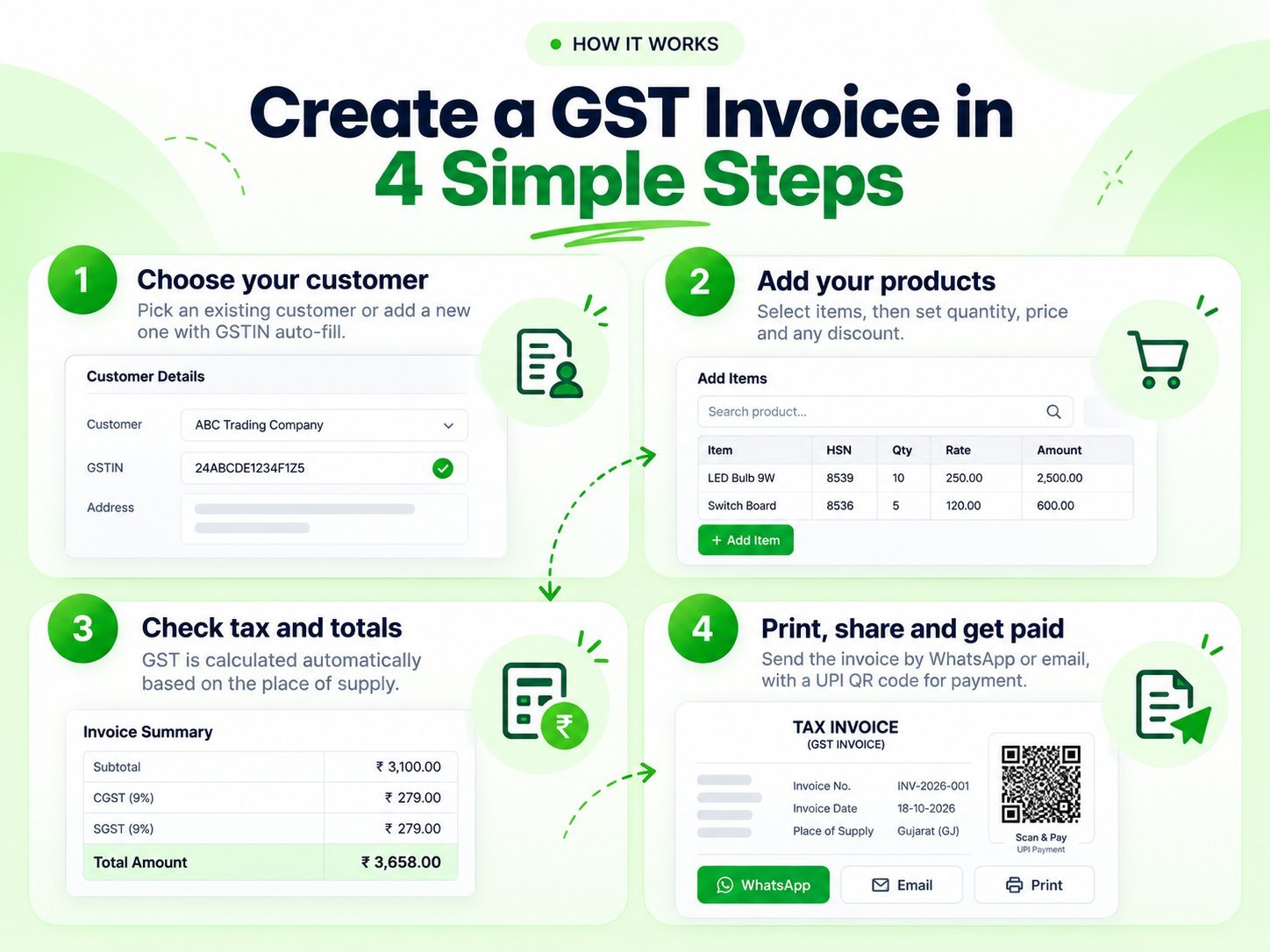
Create a GST Invoice in 4 Simple Steps
- 1
Choose your customer
Pick an existing customer or add a new one with GSTIN auto-fill.
- 2
Add your products
Select items, then set quantity, price and any discount.
- 3
Check tax and totals
GST is calculated automatically based on the place of supply.
- 4
Print, share and get paid
Send the invoice by WhatsApp or email, with a UPI QR code for payment.
From First Quote to Final Payment
Handle your whole sales cycle in one place, without switching tools.
Quotation
Send a professional quote to your customer.
Sale Order
Confirm the order and track it.
GST Invoice
Turn it into a GST-ready invoice.
Payment
Record payments and track what is pending.
Return & Credit Note
Handle returns and adjustments.
Built for Every GST-Registered Business
If you sell goods or services and charge GST, Billing Saathi makes invoicing quick and accurate.
Questions? We Have Answers
The basics of GST invoicing, and how Billing Saathi helps.
Talk to our team and we will help you get started.
Book a DemoWhat is a GST invoice?
What details must a GST invoice include?
When do I charge CGST, SGST or IGST?
What is the difference between a tax invoice and a bill of supply?
Does Billing Saathi create GST-compliant invoices?
Can I add a UPI QR code and share invoices on WhatsApp?
Create your first GST invoice in minutes
Start with a free trial and see how easy GST billing can be.
Billing Saathi is software and does not provide tax or legal advice. GST rules and invoice requirements can change, so please confirm the latest requirements on the official GST portal or with your tax professional.