
Billing Saathi Chat: Answers for Your Business, Instantly
The smart chat assistant inside your billing software. Ask for today's sales, this month's profit or your total outstanding, get help with any task, and open the right report in one click.
- Sales & profit answers
- Step-by-step help
- Reports in one click
What Is Billing Saathi Chat?
Billing Saathi Chat is a chat assistant built into your billing system. Instead of searching through menus and reports, you type a question the way you would ask a colleague, and it replies right away.
It can tell you how your business is doing, such as today's sales, this month's profit and your total outstanding. It can also explain how to do things in Billing Saathi, like recording a payment or sending a reminder, and take you straight to the right screen.
Billing Saathi Chat can make mistakes. Always double-check replies before you act on them.
Billing Saathi Chat at a glance
Get Your Numbers in One Message
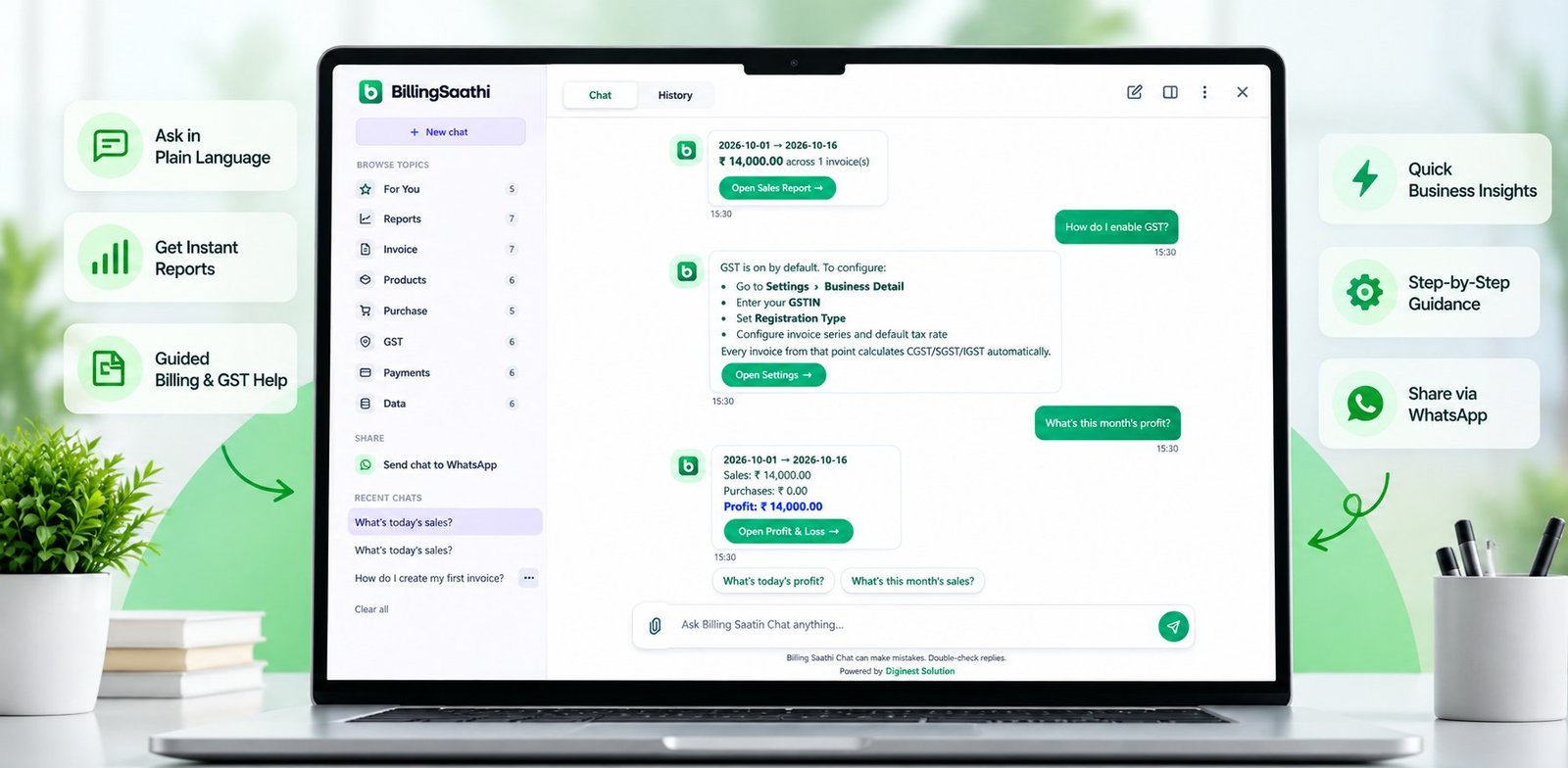
Ask a question and see the answer with the dates and amounts, plus a button to open the full report.
Open Sales Report →
Open Sales Report →
Purchases: ₹ 0.00
Profit: ₹ 14,000.00
Open Profit & Loss →
Help for Every Part of Billing Saathi
Not sure what to ask? Pick a topic and tap a ready-made question to get step-by-step help.
Example: questions under Payments
Each topic has its own list of questions, so help is always a tap away.
- How do I record a payment?
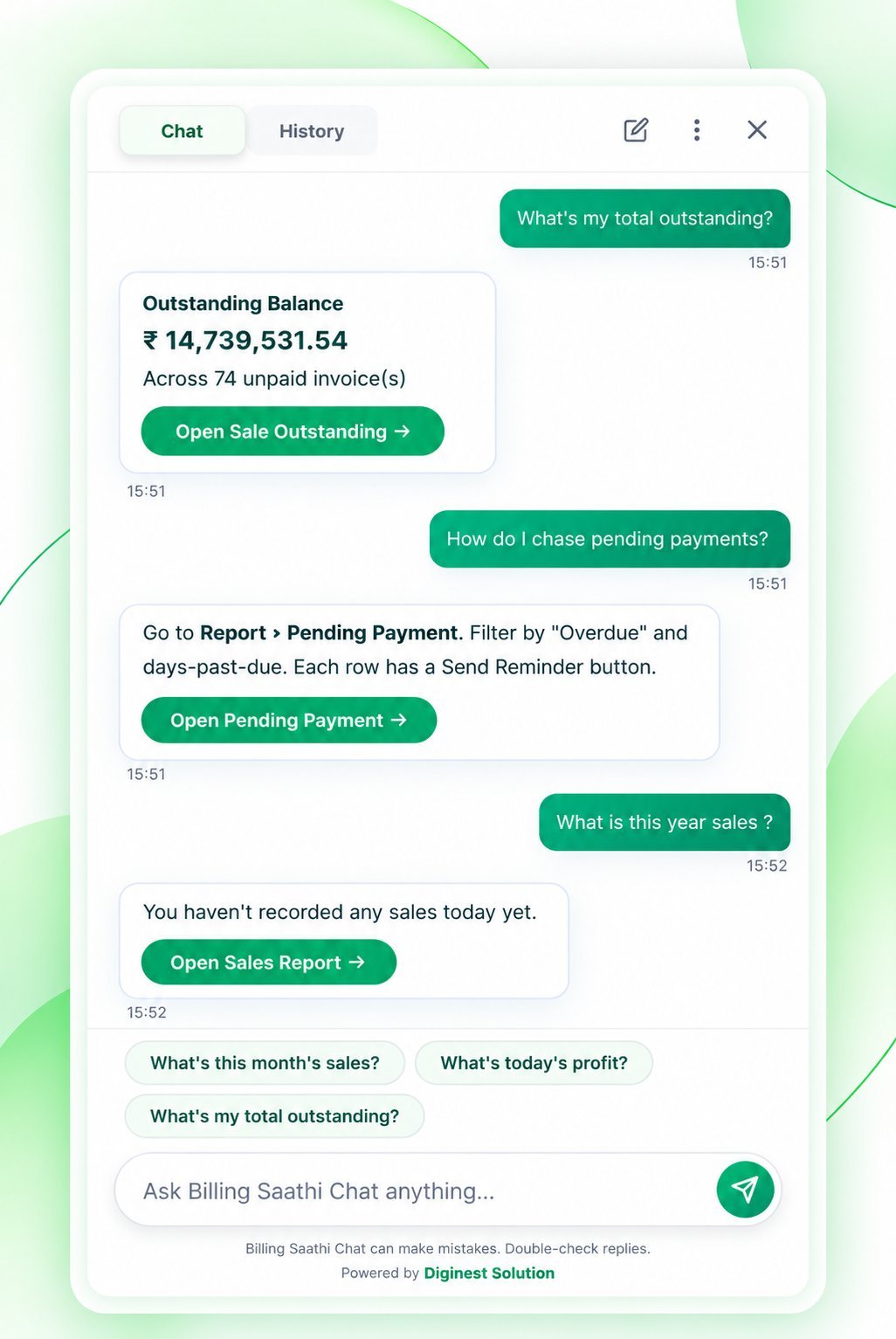
- How do I chase pending payments?
- How do I send a payment reminder?
- What's my total outstanding?
- How do I pay a vendor?
- What payment modes are supported?
Open Pending Payment →
Everything Inside Billing Saathi Chat
Simple to open, quick to use, and easy to double-check.
Instant Business Answers
Ask for today's sales, this month's sales, profit or your total outstanding and get the answer in the chat.
One-Click Reports
Answers come with a button such as Open Sales Report, Open Profit & Loss or Open Pending Payment.
Browse by Topic
Pick a topic like Reports, Invoice, GST or Payments and tap a ready-made question for step-by-step help.
Suggested Questions
Tap a suggestion instead of typing, and get follow-up questions that fit the answer you just read.
Chat History
Go back to earlier chats from the History tab or the recent chats list, or clear them all when you like.
Send Chat to WhatsApp
Share a conversation on WhatsApp straight from the chat, so your team sees the same answer.
Quick or Full View
Use a small chat window while you work, or open the full view with topics and history on the side.
Built to Be Double-Checked
Every reply reminds you to double-check, and the report button makes that check one click away.
From Question to Answer in 3 Steps
No setup and no special commands.
- 1
Open the chat
Open Billing Saathi Chat inside your billing software, as a small window or in full view.
- 2
Ask or tap
Type your question, tap a suggested question, or pick one from the topics list.
- 3
Check and act
Read the answer, then open the linked report to see the full details or take the next step.
A Look at Billing Saathi Chat
Use it as a quick chat window, or open the full view with topics and history.
Smart Help That Fits Your Way of Working
Even more ways Billing Saathi Chat saves you time.
Create an invoice from a bill photo
Skip typing every line. Share a photo of a bill and get a draft invoice to review.
- Upload a photo of a bill
- Details are read into a draft invoice
- You review and edit before saving
Chat in the language you prefer
Ask in your own language so everyone on your team feels comfortable using it.
Less Searching, More Running Your Business
Get what you need without clicking through screens.
Save time every day
Get sales, profit and outstanding figures in seconds instead of opening several reports.
Verify with one click
Each answer links to the full report, so you can check the details yourself.
Easy for your whole team
Anyone can ask a question or tap a topic. No training needed.
Frequently Asked Questions
What is Billing Saathi Chat?
What can I ask it?
How can I check an answer?
Does it keep my old chats?
Can I share a chat on WhatsApp?
Can it make mistakes?
Can it create an invoice from a photo, and does it work in other languages?
Ask your first question today
Open Billing Saathi Chat and get your sales, profit and outstanding in seconds.
Start Free TrialBilling Saathi Chat can make mistakes, so please double-check replies and figures before you rely on them. Sample amounts and dates on this page are for illustration. Billing Saathi is software and does not provide tax, legal or financial advice. Features may change.