Best Billing Software for Small Business: Features, Benefits, and How to Choose the Right Solution
Introduction
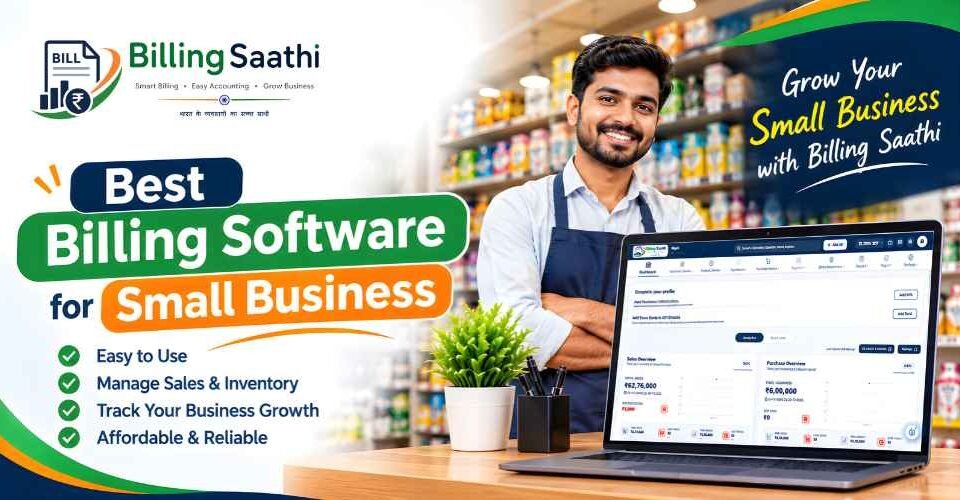
Running a small business involves more than selling products or providing services. Business owners also need to manage invoices, customer payments, GST calculations, sales records, stock levels, and daily financial activities. Handling all these tasks manually can become time-consuming as a business grows. This is why choosing the Best Billing Software for Small Business has become an important step for retailers, wholesalers, supermarkets, and service providers. Visit Billingsaathi to explore billing software solutions, and follow Billingsaathi on Instagram for updates and business-related information.
A digital billing system helps businesses organise routine transactions, generate invoices, and maintain records in a structured format. Instead of preparing every bill manually, employees can enter product details, select quantities, calculate totals, and generate invoices through software.
For small businesses, the right billing application can save time, reduce calculation errors, and make everyday operations easier to manage. However, every business has different requirements. A grocery store may need inventory tracking and barcode scanning, while a service provider may prioritise customer records and professional invoices.
Choosing the Best Billing Software for Small Business can help owners simplify billing activities and maintain organised financial records. Understanding the available features before selecting software helps business owners make a more suitable decision.
What Is Billing Software for Small Businesses?
Billing software is a digital application that helps businesses create invoices, calculate amounts, record transactions, and manage billing information. Depending on the application, it may also include GST calculations, inventory management, customer records, payment tracking, and sales reports.
A business can use billing software to record a transaction whenever a customer purchases a product or service. The employee enters the relevant details, and the application calculates the bill according to the configured prices, quantities, discounts, and taxes.
The invoice can then be printed, downloaded, or shared digitally if those options are supported.
The Best Billing Software for Small Business should be easy to use and suitable for the company’s daily activities. It should help employees complete billing tasks without unnecessary complexity while allowing business owners to access important records.
The right application should combine essential billing functions with an interface that employees can easily understand.
Why Small Businesses Need Digital Billing Solutions
Many small businesses begin with handwritten bills, calculators, and paper registers. These methods may work when transaction volumes are low, but managing everything manually becomes more difficult as the business expands.
For example, a retailer may need to check previous sales, calculate monthly revenue, update product quantities, and identify pending customer payments. Searching through handwritten records can take considerable time.
Digital billing software helps organise these activities in one system, depending on the application’s features.
Some important reasons businesses consider digital billing include:
Faster invoice creation: Employees can select products, enter quantities, and generate bills without calculating every amount manually.
Accurate calculations: Automated calculations can reduce common mistakes involving quantities, prices, discounts, and taxes.
Organised sales records: Digital transaction histories make it easier to review previous invoices and business activity.
Simplified tax calculations: Suitable software can calculate configured GST amounts and generate invoices with relevant tax details.
Better business visibility: Sales reports can help owners understand transaction activity and review business performance.
Using the Best Billing Software for Small Business can reduce repetitive paperwork and make daily transactions easier to manage.
These benefits make digital billing useful for businesses that want to improve their daily processes without introducing unnecessary administrative work.
Important Features to Look for in Billing Software
Before selecting a billing application, business owners should identify the features that matter most to their operations. Software should solve actual business problems rather than simply offer a long list of features.
Easy Invoice Generation
Invoice creation is the main function of billing software. The billing screen should be simple enough for employees to understand and use.
A good application should allow users to select products or services, enter quantities, apply discounts where required, calculate taxes, and generate invoices.
The Best Billing Software for Small Business should make regular billing tasks straightforward, especially when employees handle multiple customers during busy hours. It should simplify everyday invoicing with quick product selection, automatic calculations, and easy invoice management.
GST Billing and Tax Calculation
GST compliance is an important consideration for many Indian businesses. Billing software should support relevant GST settings and help generate invoices with the required information.
Depending on the transaction and business registration, invoices may include supplier details, GSTIN, invoice number, invoice date, product descriptions, taxable values, and applicable tax amounts.
Business owners should configure tax rates correctly and review invoice formats according to their requirements.
The Best Billing Software for Small Business should support the GST invoice requirements relevant to the company’s operations.
For official information, businesses can refer to the CBIC GST portal.
Inventory Management
Inventory management helps businesses monitor available products, stock quantities, and product movement.
For example, when a retailer sells a product, the software may automatically reduce the available stock quantity if inventory integration is supported.
This can help business owners identify products that need replenishment and maintain more organised stock records.
Choosing the Best Billing Software for Small Business with inventory tracking can help retailers monitor product availability and manage stock more effectively.
Customer Management
Customer management features help businesses maintain useful customer information, such as names, contact details, and transaction histories.
These records can make it easier to review previous purchases, identify outstanding payments, and maintain organised customer information.
Sales Reports
Sales reports help business owners understand how their business is performing. Depending on the software, reports may include daily sales, monthly revenue, product performance, and transaction summaries.
Regularly reviewing these reports can help owners make informed decisions about purchasing, pricing, and business planning.
With the Best Billing Software for Small Business, owners can review sales information and make more informed operational decisions.
How Billing Software Helps Different Types of Small Businesses
Billing requirements vary according to the type of business. A suitable application should support the products, services, and transaction methods used by the company.
Grocery stores: Grocery retailers often manage many products with different prices and quantities. Billing software with product search, barcode scanning, and inventory features can simplify daily transactions.
Clothing stores: Clothing retailers may need to manage products according to size, colour, design, and brand. Product categorisation can make billing and stock management more organised.
Supermarkets: Supermarkets usually process a large number of transactions and may operate multiple billing counters. They can benefit from barcode scanning, inventory tracking, and detailed sales reports.
Electronics stores: Electronics retailers may need to maintain product specifications, serial numbers, warranty information, and customer invoices.
Service businesses: Service providers may prioritise service descriptions, customer details, payment records, and professional invoice formats.
Before choosing billing software, owners should compare the application’s features with their specific industry requirements.
Manual Billing vs Digital Billing
Manual billing involves preparing invoices using paper, registers, calculators, or basic spreadsheets. Digital billing uses software to record transactions and perform calculations.
Manual billing may be suitable for businesses with very limited transactions. However, it can become difficult to maintain as the number of customers, products, and daily sales increases.
Digital billing can reduce repetitive work by automating calculations and storing transaction details. It may also make searching for previous invoices and reviewing sales information easier.
The main difference is not simply how an invoice is created. It is how efficiently the business can maintain, access, and organise its records.
Small businesses should consider moving to digital billing when manual processes begin taking too much time or creating difficulties in maintaining accurate information.
Benefits of Using Billing Software for Small Businesses
A billing application can support several daily business activities. Its value depends on how well its features match the company’s requirements.
Saves time: Automated calculations and product selection can make invoice creation faster. Employees can spend less time preparing bills and more time assisting customers.
Reduces manual errors: Software calculations can reduce mistakes involving quantities, prices, discounts, and configured taxes. Employees should still review invoices before completing transactions.
Improves record organisation: Digital records can make it easier to search for invoices, review transactions, and maintain business information.
Supports inventory control: When stock management is included, businesses can track product quantities and review stock movement.
Simplifies business reporting: Reports can help owners understand sales activity and identify products or periods that contribute to revenue.
Supports business growth: A structured billing process can help businesses manage increasing transaction volumes as their operations expand.
The Best Billing Software for Small Business should provide practical benefits that improve daily work rather than adding complicated processes.
How Billing Software Improves Inventory Management
Inventory is an important part of businesses that sell physical products. Poor stock management can lead to unavailable products, excess inventory, and confusion about actual stock quantities.
A billing system with inventory features can connect sales transactions with product records. When a sale is completed, the software may update the stock quantity automatically.
For example, if a shop has 50 units of a product and sells five units, an integrated inventory system can record the remaining quantity as 45.
Businesses can use this information to review stock levels and plan future purchases. Some applications may also support low-stock alerts, product categories, purchase records, and stock reports.
However, business owners should check how the software handles returns, cancelled invoices, stock adjustments, and purchases. Accurate inventory management depends on correct product entries and regular verification.
Understanding Payment Tracking and Customer Transactions
Payment management is another important part of running a small business. Companies may receive payments through cash, UPI, cards, bank transfers, and other methods.
A billing application can help record payment details alongside invoices when these functions are supported.
For example, a business owner may want to identify which invoices have been paid, which transactions are partially paid, and which customer payments are still pending.
Organised payment records can make it easier to review outstanding amounts and follow up with customers.
Businesses should also understand the difference between recording a payment and processing one. Some billing applications only record payment information, while others may offer payment gateway integrations or other connected services.
How to Choose the Right Billing Software
Selecting software should begin with understanding the actual needs of the business. An application that works well for one company may not be suitable for another.
Before making a decision, compare the Best Billing Software for Small Business based on features, pricing, usability, and customer support.
Business owners should also consider the following points:
Ease of use: Employees should be able to understand the billing interface without extensive technical knowledge.
Required features: Check whether the software supports invoicing, GST, inventory, customer records, payment tracking, and reports as needed.
Device compatibility: Confirm that the application works with the computers, tablets, printers, scanners, or other devices used by the business.
Data security: Understand how business records are stored, protected, and backed up.
Customer support: Reliable assistance can be useful when users experience technical problems or need help configuring the software.
Pricing: Review subscription fees, setup costs, renewal terms, and any additional charges.
Scalability: Consider whether the software can support additional products, employees, or billing counters as the business grows.
A trial or product demonstration can help business owners understand how the software works before purchasing it.
Always test the Best Billing Software for Small Business before selecting a solution for regular business use.
Common Mistakes to Avoid When Selecting Billing Software
Choosing billing software without checking its practical capabilities can create problems later. Business owners should avoid selecting an application based only on advertisements or low pricing.
One common mistake is ignoring the actual billing workflow. A business should test how quickly employees can create invoices and complete regular transactions.
Another mistake is overlooking inventory requirements. Retailers selling multiple products should confirm whether stock tracking is included and how it works.
Some businesses also fail to review data backup options. Billing records are important, and businesses should understand how information can be recovered if a device fails.
Ignoring employee training can also affect software adoption. Staff members should understand how to create invoices, record payments, correct mistakes, and handle returns.
Selecting the Best Billing Software for Small Business without checking its features can create difficulties as the company grows.
Before finalising a billing application, owners should test important features with realistic business examples instead of relying only on a promotional feature list.
Why GST-Ready Billing Is Important for Indian Businesses
GST billing requirements are an important consideration for many Indian retailers, distributors, and service providers.
Businesses should ensure that their invoices contain the applicable details and that tax calculations are configured correctly. The requirements can differ according to business registration, transaction type, and applicable GST rules.
Billing software can simplify invoice preparation by using configured tax rates and generating structured invoice formats. However, using software does not automatically guarantee GST compliance. Business owners remain responsible for correct information and appropriate tax treatment.
They should review invoice settings regularly and consult a qualified tax professional when they need guidance about specific GST requirements.
The Role of Billing Software in Business Growth
As a business grows, the number of invoices, customers, products, and transactions may increase. Managing these activities manually can become difficult.
A structured billing system can help business owners maintain organised transaction records and review business performance. Sales reports may help identify frequently purchased products, busy sales periods, and changes in revenue.
Inventory information can also support purchasing decisions by helping owners understand which products need replenishment.
The Best Billing Software for Small Business should be suitable for the company’s current operations while providing features that can support its future requirements.
Business growth does not depend on software alone, but an organised billing process can make daily management easier.
How Billingsaathi Supports Business Billing Requirements
Small businesses need practical tools to manage invoices, GST billing, stock information, and daily transactions. Choosing a suitable digital billing platform can help organise these activities and reduce the effort involved in manual recordkeeping.
Billingsaathi is a billing software platform for businesses looking to manage their billing-related activities more efficiently. Business owners can explore the website to review its available features and determine whether they match their operational requirements.
Businesses searching for the Best Billing Software for Small Business should evaluate Billingsaathi’s available features against their daily billing requirements.
When evaluating Billingsaathi, retailers and small business owners should consider the billing, GST, inventory, and other features available for their needs. They should also review supported devices, data management options, pricing, and customer support before making a decision.
The right billing application should be easy for employees to use and suitable for the business’s daily workflow. Rather than selecting software based only on the number of advertised features, owners should focus on the functions they will actually use.
The Future of Digital Billing for Small Businesses
Digital billing is becoming an important part of modern business management. Businesses increasingly use software to organise invoices, monitor sales, maintain product records, and review transaction information.
Future billing solutions are likely to offer more connected features, including improved reporting, automation, payment integrations, and inventory management.
Cloud technology can also make business information accessible across supported devices, while applications with local processing may offer selected functions when internet connectivity is unavailable.
However, businesses should evaluate the security, reliability, and actual capabilities of every application before adopting it.
A useful billing system should make routine tasks easier, maintain organised records, and support the business as its requirements change.
Final Thoughts
Managing invoices, payments, GST calculations, inventory, and sales records can be challenging when every activity is handled manually. Digital billing software provides a more organised way to manage these tasks and can help small businesses reduce repetitive work.
Choosing the Best Billing Software for Small Business requires careful consideration of ease of use, required features, GST support, inventory management, data security, pricing, and customer service.
Business owners should compare available applications, test important functions, and confirm that the software matches their daily operations. They should also review how records are stored and backed up to protect important business information.
Investing time in comparing the Best Billing Software for Small Business can help owners choose a solution that matches their needs.
With the right billing solution, small businesses can build a more organised billing process, maintain better transaction records, and manage their daily operations with greater confidence.