Why Offline Billing Software Is Essential for Retail Shops: Features, Benefits, and Business Management
Introduction
Retail businesses handle multiple activities every day, including product sales, customer payments, GST billing, inventory tracking, and maintaining transaction records. Managing these activities manually can become difficult, especially when a shop experiences high customer traffic. This is why many retailers are exploring Offline Billing Software for Retail Shops to make their daily operations more organised and efficient. To understand how modern billing solutions support retail businesses, visit Billingsaathi and follow its Instagram page for updates and business-related information.
A reliable billing system helps retailers create invoices, calculate totals, maintain sales records, and manage products with greater accuracy. However, internet connectivity is not always consistent in every location. Network interruptions can affect cloud-dependent applications and create delays during busy business hours. An offline billing system is designed to reduce this dependency by allowing supported billing activities to continue without a constant internet connection.
Choosing the right Offline Billing Software for Retail Shops requires understanding how offline billing works, which features matter, and how data is stored and protected. Retailers should also check whether the software supports their GST requirements, inventory needs, barcode scanning, payment methods, and reporting processes.
This guide explains the important features, advantages, limitations, and selection considerations of offline retail billing systems. It also discusses how retailers can evaluate billing software according to their business requirements.
Understanding the Changing Needs of Retail Businesses
Retail businesses have changed significantly over the years. Customers expect quick billing, accurate prices, convenient payment options, and shorter waiting times. At the same time, shop owners need better control over inventory, expenses, sales records, and daily transactions.
Traditional paper-based billing can become difficult when a business handles many products and customers. Employees may need to calculate prices manually, search through product registers, and prepare handwritten invoices. These activities take time and can increase the possibility of calculation mistakes.
Digital billing systems help simplify these processes. A retailer can select products, enter quantities, apply applicable taxes, and generate invoices through a computer or supported device. The software can also maintain transaction records and provide reports that help business owners understand their sales performance.
For shops operating in areas with inconsistent internet connectivity, Offline Billing Software for Retail Shops can be an important option. It allows supported billing operations to work locally instead of depending entirely on a continuous internet connection.
The requirements of a small grocery store may differ from those of a clothing showroom, supermarket, pharmacy, or electronics retailer. Therefore, businesses should choose software according to their product range, transaction volume, staff requirements, and accounting processes.
What Is Offline Billing Software?
Offline billing software is a billing application designed to perform supported billing operations without requiring a continuous internet connection. Depending on the software, information may be stored locally on a computer or another supported device.
When a customer purchases products, the employee can select the items, enter quantities, calculate the bill, and generate an invoice. The application processes the information using its available local data. This can help the shop continue certain operations during temporary internet interruptions.
However, offline capabilities differ between applications. Some systems support only basic invoice creation without internet access, while others may also support local inventory records, customer details, and sales reports. Certain features, including online payment verification, cloud backups, remote access, and synchronisation, may still require an internet connection.
Before selecting Offline Billing Software for Retail Shops, retailers should understand exactly which functions remain available offline. They should also check how the application synchronises information when connectivity returns and whether any transactions require manual updates.
An offline billing application should not automatically be considered a complete accounting or inventory solution. Its actual capabilities depend on the software provider, subscription plan, device compatibility, and configuration.
Why Internet Dependency Can Become a Retail Business Problem
Internet connectivity plays an important role in modern business operations, but it is not always reliable. Network interruptions can happen because of router problems, service provider outages, maintenance, weak signals, or electricity issues affecting networking equipment.
For a retail shop, even a short interruption can create inconvenience if its billing process depends completely on an online connection. Employees may have difficulty accessing product information, generating invoices, or checking certain records when the application cannot connect to its server.
This can become especially challenging during busy shopping hours. Customers generally expect quick service, and long waiting times can affect their shopping experience.
A billing system with suitable offline capabilities can reduce some of these problems. Employees may continue supported transactions using locally available information while the internet connection is unavailable.
This is one reason retailers consider Offline Billing Software for Retail Shops when evaluating business continuity. However, retailers must confirm that their chosen application actually supports the offline activities they need.
Internet availability can also affect other business services, including online payment processing, cloud reporting, remote access, and digital communication. Offline billing does not automatically make these services available without a network connection.
Why Offline Billing Software for Retail Shops Is Becoming Important
Retailers need billing systems that support their daily work without creating unnecessary interruptions. A shop may process dozens or hundreds of transactions depending on its size and customer traffic. Delays in invoice generation can affect employees and customers.
Offline billing functionality can provide an alternative when the internet connection becomes temporarily unavailable. Instead of stopping every supported billing activity, employees may continue working with locally stored information.
The importance of Offline Billing Software for Retail Shops can be understood through several practical requirements.
Business continuity: Supported billing operations can continue during certain network interruptions, reducing dependence on continuous internet availability.
Faster transaction handling: Local processing may allow supported billing functions to operate without waiting for a server response.
Access to stored information: Depending on the application, employees may be able to access locally stored product and transaction information.
Better operational control: A structured billing process can help retailers maintain organised sales records and reduce manual paperwork.
Reduced disruption: A temporary internet problem does not necessarily need to stop every billing activity when the application has suitable offline support.
These benefits depend on the software’s actual design. Retailers should test the application before relying on it for important daily operations.
How Offline Billing Works
An offline billing application generally uses information stored on the local device or computer. This information may include product names, prices, tax settings, customer details, and other business records.
When a customer purchases an item, the employee selects the product from the available list. The software calculates the amount according to the configured price and tax settings. After the transaction is completed, the application records the invoice in its local database if that function is supported.
When the internet connection becomes available again, some applications can synchronise locally stored information with an online server. Other applications may require manual backup or data transfer.
The exact process varies between software providers. Retailers should understand what happens to transactions created during an internet outage and whether those records are automatically synchronised later.
A business evaluating Offline Billing Software for Retail Shops should test the complete process, including invoice creation, record storage, data recovery, and synchronisation. This helps identify limitations before the software is used for regular business operations.
Important Features to Look for in Offline Billing Software
Not every billing application offers the same features. A suitable solution should match the retailer’s daily workflow and support the functions required by the business.
Simple Invoice Generation
Invoice creation is one of the most important billing activities. Employees should be able to select products, enter quantities, review prices, calculate taxes, and generate invoices without unnecessary steps.
The billing screen should be easy to understand, especially when multiple employees use the same system. A simple interface can reduce training time and help employees process transactions more efficiently.
Product and Inventory Management
Retailers need to maintain accurate product information, including item names, prices, quantities, and available stock. A billing application with inventory features can help businesses organise these details.
Some offline systems can update locally stored stock information after a sale. However, retailers should confirm whether stock updates remain available without internet access and how those changes are synchronised later.
GST Billing Support
Businesses registered under GST must follow applicable invoicing requirements. Billing software should support relevant tax settings and provide the required invoice information according to the business’s registration and transaction type.
Retailers should verify the software’s GST configuration and ensure that invoice formats are suitable for their business requirements.
Barcode Scanning
Barcode scanning can help employees identify products quickly. Instead of searching through a long product list, an employee can scan an item’s barcode when the software supports compatible scanners.
Retailers should check whether barcode scanning works without internet access and whether product barcode information is available locally.
Sales Reports
Sales reports help business owners review daily transactions, revenue, product performance, and other business information. Some applications provide locally generated reports, while other reporting functions may depend on cloud services.
A retailer should check which reports remain accessible offline and how the software handles reporting after synchronisation.
User Access and Permissions
When several employees use a billing system, different access levels can help protect important business information. For example, a cashier may need permission to create invoices, while a manager may require access to reports and product settings.
User permissions should be suitable for the size and structure of the business.
Backup and Data Recovery
Business records are valuable. A computer failure, accidental deletion, malware infection, or storage problem can result in data loss if proper backups are not maintained.
Retailers should check whether the software supports automatic backups, manual exports, external storage, or cloud backup. They should also understand how to restore data when required.
A good backup process is essential when using Offline Billing Software for Retail Shops, because locally stored information may be affected if the device becomes damaged or inaccessible.
Offline Billing for Different Types of Retail Shops
Different retail businesses have different billing requirements. A system suitable for one type of shop may not provide every feature required by another.
Grocery Stores
Grocery shops often handle many products with different prices, quantities, and packaging sizes. Fast billing is important, especially during morning and evening rush hours.
A suitable billing application should make it easy to search for products, enter quantities, calculate totals, and generate invoices. Inventory tracking can also help shop owners monitor frequently sold products.
Supermarkets
Supermarkets usually handle larger product catalogues and a higher number of daily transactions. They may require barcode scanning, multiple billing counters, product categories, discounts, and detailed sales reports.
When evaluating Offline Billing Software for Retail Shops, supermarket owners should check whether the application supports multiple counters and how it manages records created at different devices.
Clothing Stores
Clothing retailers may manage products according to size, colour, design, and brand. A suitable system should make product identification and price management straightforward.
Retailers should check whether the software supports product variations and whether these details remain accessible when the internet is unavailable.
Electronics Stores
Electronics shops may require serial numbers, warranty information, product specifications, and detailed customer invoices. Their billing system should support the records needed to manage these products.
Medical and Pharmacy Stores
Pharmacies may need batch numbers, expiry dates, stock details, and other product-specific information. Retailers should carefully verify that their selected software supports the applicable requirements of their business.
Understanding GST Billing in Offline Systems
GST billing is an important requirement for many Indian retail businesses. A GST invoice generally contains information such as the supplier’s details, GSTIN where applicable, invoice number, invoice date, description of goods or services, taxable value, applicable tax rates, and other required particulars.
Retailers should configure tax rates according to the products they sell and the applicable GST rules. They should also ensure that the invoice format follows current requirements.
An offline billing application may allow invoice creation using tax settings stored on the device. However, this does not mean that every GST-related activity can be completed without internet access. Online return filing, portal-based verification, and other connected services may require an internet connection.
Businesses should review the latest official guidance from the Central Board of Indirect Taxes and Customs at CBIC GST Invoice Rules.
Before choosing Offline Billing Software for Retail Shops, retailers should confirm that the system supports the invoice format and tax calculations required for their business. They should also understand how invoice records are backed up and transferred for accounting purposes.
Why Small Businesses Need Reliable Billing Solutions
Small retailers often operate with limited staff and resources. Shop owners may manage purchasing, customer service, inventory, payments, and accounts themselves. Handling all these activities manually can take considerable time.
A digital billing system can help organise daily transactions and reduce repetitive paperwork. Employees can generate invoices, maintain sales records, and access product information through a structured interface.
For smaller businesses, Offline Billing Software for Retail Shops may be worth considering when internet availability is inconsistent or when the retailer prefers certain billing operations to run locally.
However, affordability should not be the only selection factor. Business owners should also evaluate ease of use, data protection, support, device requirements, GST features, and future scalability.
A reliable billing solution should help the business manage its current workload while allowing room for growth.
How Offline Billing Improves Daily Retail Operations
A well-configured billing system can improve several parts of a retailer’s daily workflow. It can help employees complete transactions, maintain records, and reduce the time spent on repetitive manual tasks.
During a sale, the employee can select the required products and quantities. The application calculates the bill according to the configured settings and generates an invoice. If local transaction storage is supported, the invoice can be recorded on the device.
The shop owner can then review available sales information and use reports to understand business activity.
These processes can make daily operations more organised. Retailers considering Offline Billing Software for Retail Shops should focus on how the software performs during actual shop operations rather than choosing an application based only on its feature list.
Testing the billing process with real products, prices, tax settings, and employees can help identify practical issues before implementation.
Benefits of Using Offline Billing Software for Retail Shops
The main benefit of offline billing functionality is that supported operations may continue without a constant internet connection. This can be useful for retailers who experience temporary network problems.
Other possible benefits include:
Reduced internet dependency: Certain billing activities can be performed using information stored locally on the device.
Organised transaction records: Digital invoices can make it easier to review previous sales and maintain business records.
Improved billing workflow: Product selection and automatic calculations can reduce some manual steps.
Better stock visibility: When local inventory tracking is supported, retailers can review available stock information and record sales-related changes.
Convenient invoice management: Digital records can be easier to search and organise than handwritten bills.
Support for busy hours: Local billing functionality may help reduce interruptions caused by internet connectivity problems.
These advantages depend on the application’s features and configuration. Retailers should not assume that every offline application provides all these capabilities.
Inventory Management in Offline Billing Systems
Inventory management helps retailers understand how many products are available, which items are selling, and when stock needs to be replenished.
Manual inventory registers can become difficult to maintain when a shop sells many products. Stock quantities may need to be updated after every sale, purchase, return, or adjustment.
A billing application with inventory management can simplify some of these tasks. When a product is sold, the system may reduce its available quantity according to the transaction details.
For retailers considering Offline Billing Software for Retail Shops, it is important to check whether inventory information is stored locally and whether stock updates can be made during an internet outage.
They should also understand how the software handles multiple billing devices. If two counters sell the same product while disconnected from the internet, their local stock records may not immediately reflect the same quantity. The software’s synchronisation process must be understood to avoid inconsistent records.
Regular stock verification is still important, even when digital inventory features are available.
How Billing and Stock Management Work Together
Billing and inventory management are closely connected. Every product sale can affect the available stock quantity, so maintaining accurate records is important.
For example, when a customer purchases three units of a product, the inventory system should record the corresponding reduction if automatic stock updates are supported. This helps retailers monitor product availability.
Purchase entries can also increase recorded stock. Returns and adjustments may require separate transactions depending on the application’s features.
A connected billing and inventory workflow can reduce the need to update multiple registers manually. However, retailers should confirm how their chosen application handles stock updates, cancelled invoices, returns, and offline transactions.
The relationship between billing and inventory is an important factor when comparing Offline Billing Software for Retail Shops. A retailer should check whether the system maintains consistent records across all supported operations.
Barcode Scanning and Offline Retail Billing
Barcode scanning is useful for retailers who sell many products. Each product can be associated with a barcode, allowing employees to identify it quickly through a compatible scanner.
When a barcode is scanned, the software searches its available product records and adds the matching item to the bill. This can reduce manual product searches and help speed up transactions.
For barcode scanning to work without internet access, the relevant barcode and product information generally needs to be available locally. Retailers should test this process before depending on it during network interruptions.
When evaluating Offline Billing Software for Retail Shops, businesses should check scanner compatibility, product barcode registration, duplicate barcode handling, and the process for adding new products.
Barcode scanning can be particularly useful for supermarkets, grocery stores, electronics shops, and other retailers with large product catalogues.
Understanding Offline and Online Billing Systems
Offline and online billing systems differ mainly in how they process and store information.
An offline system may use local storage for supported billing operations. An online or cloud-based system generally relies on an internet connection to communicate with remote servers and access synchronised data.
Both approaches have advantages and limitations.
Offline billing may be useful when internet availability is inconsistent. Cloud-based billing can provide convenient remote access and centralised data management when a reliable connection is available.
Some applications combine local processing with cloud synchronisation. These systems may support selected offline functions while providing online access to data when connectivity is restored.
Retailers should compare the actual capabilities of each application rather than assuming that one approach is always better.
Important Difference Between Offline and Cloud-Based Data Storage
Local storage means that information is saved on the device or computer used for billing. Cloud storage means that information is stored on remote servers managed by a service provider.
Local storage can make certain operations available without internet access. However, the data may be at risk if the device is damaged, lost, infected by malware, or affected by hardware failure.
Cloud storage can support remote access and centralised backups, but accessing cloud data generally requires internet connectivity.
Some software solutions combine both methods. They may store selected information locally and synchronise it with a cloud server when the connection is available.
Before purchasing Offline Billing Software for Retail Shops, retailers should ask where their information is stored, how frequently backups are created, who can access the data, and how recovery works after a device failure.
How to Protect Business Data in Offline Billing Systems
Billing records contain important business information, including sales transactions, product prices, customer details, and other operational data. Protecting this information should be a priority.
Retailers can follow several basic data protection practices.
Create regular backups: Maintain copies of important billing records using the backup options supported by the software.
Use secure passwords: Protect the billing device and application with appropriate login credentials.
Control employee access: Provide employees with permissions that match their responsibilities.
Keep devices updated: Install relevant security and operating system updates.
Use trusted software: Choose applications from reliable providers and understand their data handling policies.
Test recovery procedures: Confirm that backups can be restored successfully instead of assuming that a backup file will always work.
Protect external storage: If backups are saved on external drives, keep those devices secure and protected from damage.
These practices are important for every retail billing system, whether it operates offline, online, or through a combination of both.
How to Choose the Right Offline Billing Solution
Selecting billing software requires more than comparing prices and promotional feature lists. Retailers should understand their business requirements and evaluate whether the application can support them.
Start by reviewing the number of daily transactions, product categories, billing counters, employees, and inventory requirements. A small shop may need a straightforward invoice system, while a supermarket may require barcode scanning, multiple counters, and detailed reports.
Next, check the application’s offline capabilities. Ask which features remain available without internet access, where the records are stored, and how information is synchronised when connectivity returns.
Retailers should also review the following areas:
- GST invoice configuration and tax calculation
- Product and inventory management
- Barcode scanner compatibility
- Customer and supplier records
- Sales reports and transaction history
- User permissions and access control
- Backup and data recovery
- Device compatibility and system requirements
- Customer support and software updates
- Pricing, subscription terms, and additional charges
A trial or demonstration can help retailers understand how the application works in real conditions. They should test the billing process with sample products and verify the offline functions before making a final decision.
The best Offline Billing Software for Retail Shops is the one that matches the business’s actual requirements and provides clear information about its limitations.
Common Mistakes to Avoid When Using Offline Billing Software
Even a feature-rich billing application can create problems when it is configured or used incorrectly.
One common mistake is choosing software without checking its offline capabilities. Retailers should not assume that every feature will work without internet access.
Another mistake is ignoring data backups. Local records can be lost if the device develops a technical problem. Businesses should establish a regular backup process and test data recovery.
Incorrect product prices and tax settings can also affect invoice accuracy. Retailers should review product information and applicable GST settings before using the system for regular transactions.
Some businesses also overlook employee training. Staff members should understand how to create invoices, handle cancellations, record returns, and follow the correct billing process.
Another important issue is using multiple billing devices without understanding synchronisation. Retailers should check how the application handles transactions created on different devices, particularly when those devices are temporarily disconnected.
Avoiding these mistakes can help businesses use Offline Billing Software for Retail Shops more effectively and maintain better control over their records.
How to Move from Manual Billing to an Offline Digital System
Moving from handwritten bills to digital billing requires proper planning. Retailers should first review their existing product list, prices, tax settings, and inventory records.
The next step is to organise product information. Each item should have a clear name, price, and other required details. If the shop uses barcodes, those codes should be registered correctly.
After preparing the information, the retailer can configure the billing application. This includes setting up invoice details, tax information, user accounts, and available inventory features.
Employees should receive basic training before the software is used for regular transactions. They should practise creating invoices, correcting mistakes, and handling common billing situations.
The business should also test offline functionality if it is an important requirement. Disconnecting the internet during a controlled test can help confirm which operations remain available.
A planned transition to Offline Billing Software for Retail Shops can make it easier for employees to adapt while reducing the risk of missing or incorrect records.
Why Offline Billing Is Useful During Busy Shopping Hours
Busy shopping periods can put pressure on retail employees. During festivals, weekends, seasonal sales, and promotional events, customer traffic may increase significantly.
A slow billing process can create queues and affect customer satisfaction. Employees need a system that makes product selection, quantity entry, calculations, and invoice generation straightforward.
Offline functionality may provide additional support when internet connectivity becomes unreliable during these periods. If the software supports local billing, employees may continue eligible transactions without waiting for an internet connection.
However, retailers should test the system under realistic conditions. They should check the speed of invoice generation, the availability of product records, and the way transactions are saved.
For businesses that experience frequent connectivity problems, Offline Billing Software for Retail Shops can be an important part of their billing system evaluation.
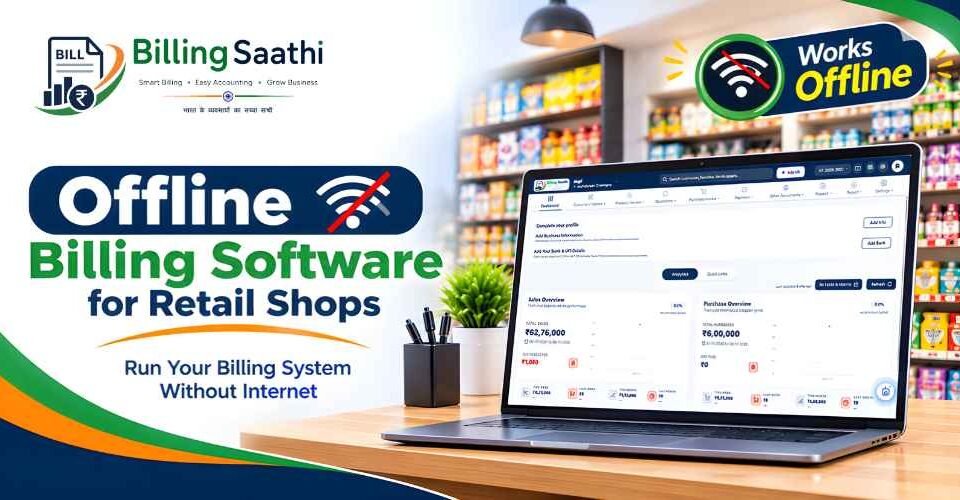
How Billingsaathi Helps Retail Businesses Manage Billing
Retailers need organised billing processes to manage daily sales and business information. A suitable billing solution should make routine tasks easier to handle and help shop owners maintain structured records.
Billingsaathi is a billing software platform for businesses looking to manage billing-related activities more efficiently. Retailers exploring digital billing solutions can review its available features and evaluate whether they match their business requirements.
When comparing Billingsaathi with other applications, businesses should review the available billing, GST, inventory, and reporting functions. They should also confirm device compatibility, data storage arrangements, and the availability of offline functionality directly with the provider before depending on it during an internet outage.
Choosing software based on verified features is important. A retailer should understand exactly what the application supports instead of assuming that every billing platform offers the same functions.
Businesses researching Offline Billing Software for Retail Shops should compare solutions carefully and select one that fits their transaction volume, inventory requirements, and operational workflow.
The Future of Offline and Digital Retail Billing
Retail technology continues to develop as businesses look for more efficient ways to manage sales, inventory, payments, and customer information.
Modern billing applications increasingly combine different technologies. Some systems use local processing for selected operations while providing cloud-based access and synchronisation when an internet connection is available.
Automation can also reduce repetitive work. Product information, tax calculations, sales records, and inventory updates can be managed through software features, depending on the application.
Retailers may also benefit from better reporting tools that help them understand sales patterns and product performance. However, data accuracy and proper configuration remain important.
The future of Offline Billing Software for Retail Shops will depend on how effectively applications balance local availability, online services, security, and ease of use.
Businesses should look for solutions that provide clear information about their features and limitations while supporting their long-term requirements.
Final Thoughts on Offline Billing for Retail Shops
Retail billing involves several important activities, including invoice creation, GST calculations, product management, inventory tracking, and maintaining sales records. A reliable digital billing process can help retailers organise these activities and reduce dependence on manual paperwork.
Offline billing functionality can be valuable for businesses that experience internet interruptions or need selected billing operations to remain available locally. However, not every application supports the same offline features. Retailers should verify invoice creation, product access, local data storage, inventory updates, backups, and synchronisation before choosing a system.
Selecting the right Offline Billing Software for Retail Shops requires a clear understanding of business requirements. Retailers should consider their product catalogue, transaction volume, staff, GST needs, data security, and future growth.
By comparing available solutions carefully and testing their features, businesses can choose a billing system that supports organised daily operations and provides a more dependable retail management process.