












How can we help?
Print product barcode labels
Print barcode stickers for your products on standard A4 label sheets or on a thermal / label printer.
Where to find it: Product / Service ▾ → Product Barcode
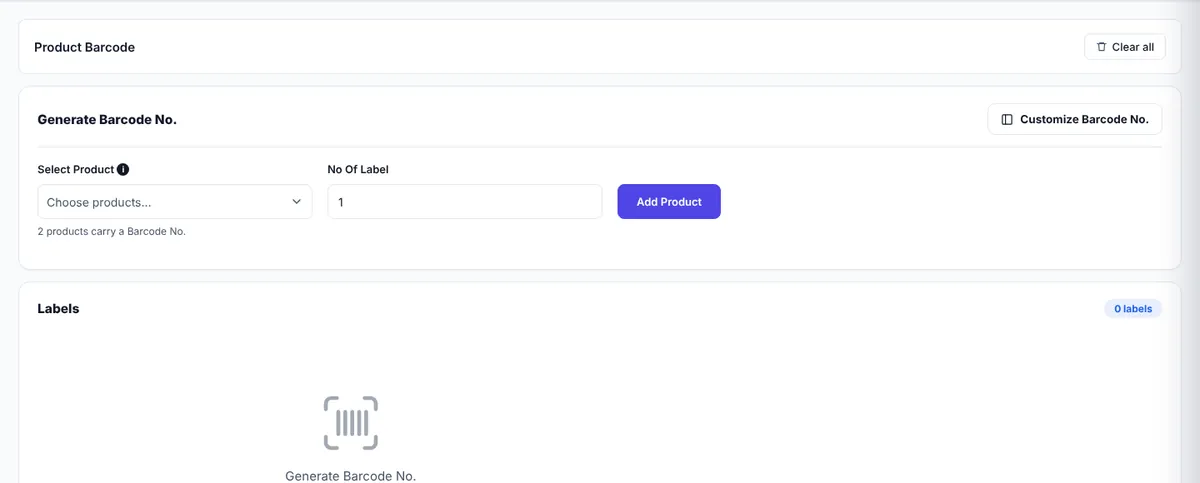
Print labels
- Click Select Product and tick the products you want. Only products that have a Barcode No. are listed — add one to the product first if needed.
- Enter the No Of Label for each and click Add Product. The table shows each product and the total number of labels.
- Click Generate. The labels appear in the preview.
- Click Print, or Download as an image or as a PDF.
Customise the labels
Click Customize Barcode No. to change the layout:
- Header and Line 1–5: the text printed above and below the barcode (for example your shop name, product name and price).
- Printer: Regular (A4 sheets) or Thermal / label printer.
- Size: common sheet layouts such as 65 labels (38 × 21 mm), 48, 40, 24, 21 or 12 labels per sheet, or Custom size.
- Barcode Orientation: horizontal or vertical.
- Fine-tuning in millimetres: page width, barcodes per line, rows per page, label size, gaps, margins, font sizes, bar height and width.
- Options to show a border around each label or hide the barcode image or number.
Tip: Print one test page on plain paper and hold it against your label sheet before printing on the real labels.