












How can we help?
Log in to Billing Saathi (email OTP or Google)
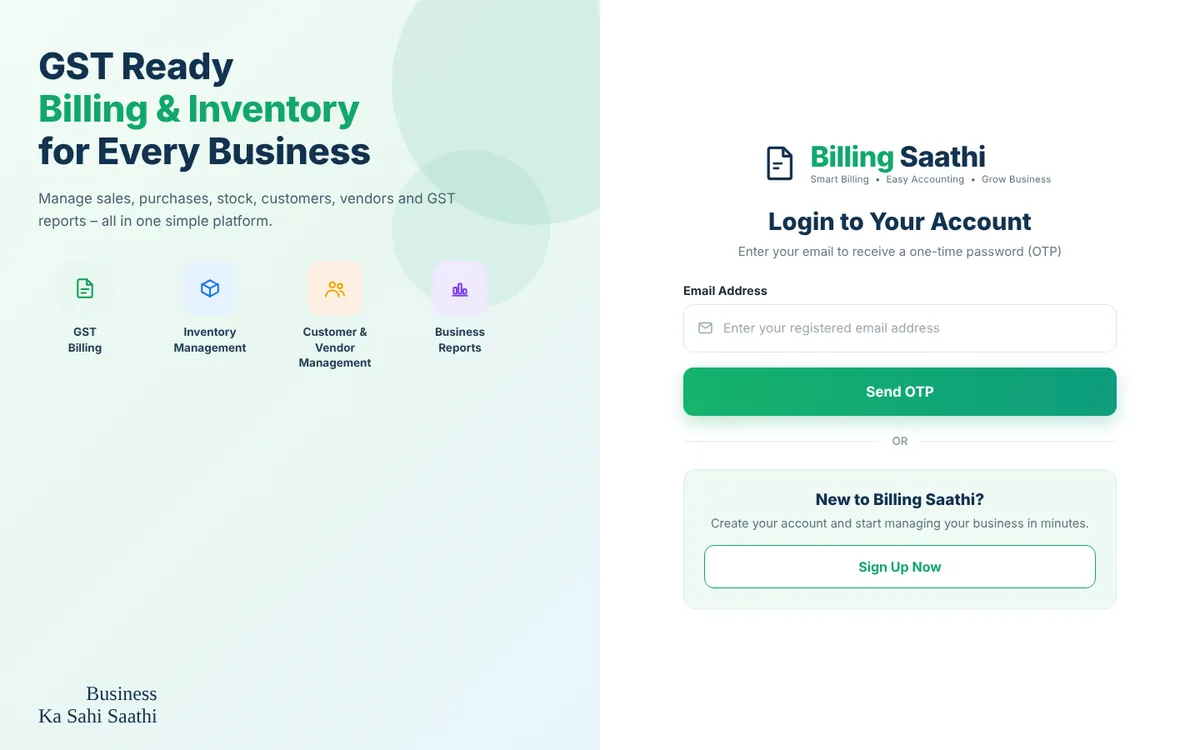
You sign in to Billing Saathi with your registered email address and a one-time password (OTP). No password is needed.
Where to find it: app.billingsaathi.com → Login to Your Account
Sign in with a code
- Go to app.billingsaathi.com.
- Enter the email address you signed up with and click Send OTP.
- Type the 6-digit code from the email into the boxes. When all six digits are in, the code is checked and your dashboard opens.
Sign in with Google
If your account uses a Gmail / Google Workspace address, you can click Continue with Google (when shown) and pick the same account.
Tips
- Wrong email? Click Change next to the address to go back and type it again.
- Code not arriving? Wait 30 seconds and click Resend code. After several attempts you may need to wait a while before asking again.
- “No account uses that email address yet” means you have not signed up with that email. Use Sign Up Now instead, or try the email you used before.
- Stay safe: never share your code with anyone. Billing Saathi staff will never ask you for it.
Log out
Click your initials (round button, top right) and choose Log Out. To sign out from every device at once, use Settings → Login & Security → Logout All Device. See Login & Security.