












How can we help?
Create your Billing Saathi account
Creating an account takes less than a minute. You only need an email address — there is no password to remember, because Billing Saathi sends you a one-time code (OTP) each time you sign in.
Where to find it: open app.billingsaathi.com and click Sign Up Now
Sign up with your email
- Open app.billingsaathi.com in your browser.
- Under New to Billing Saathi? click Sign Up Now. The box changes to Create Your Account.
- Type your email address and click Send OTP.
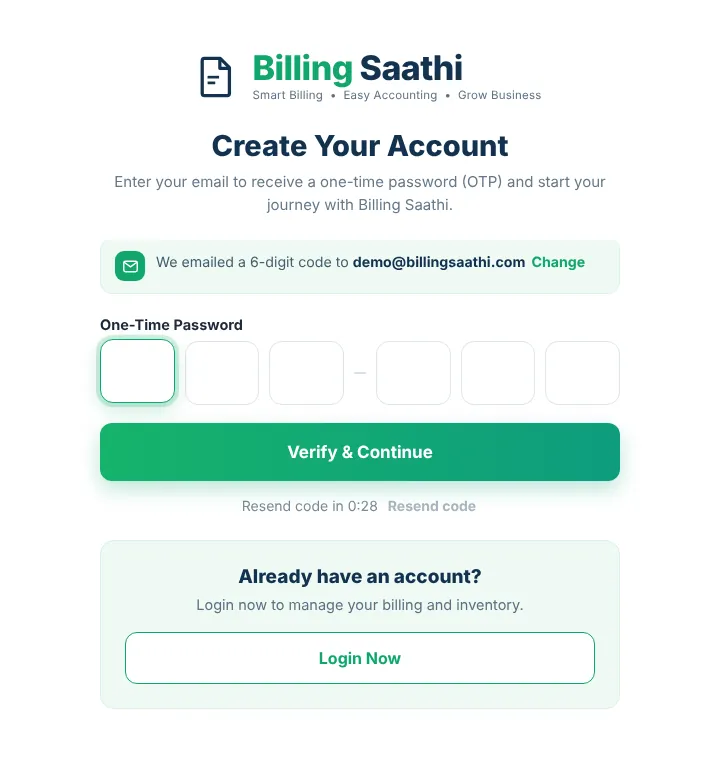
- Open your mailbox. You will receive an email with a 6-digit code.
- Type the code in the six boxes (you can also paste it). The code is checked automatically, or click Verify & Continue.
- You will see Welcome to Billing Saathi! Your account is ready. and your dashboard opens.
Sign up with Google
If you see a Sign Up with Google button, you can click it and choose your Google account instead of using a code.
What happens next
- Your new account starts on the Free plan. You can start your free Premium trial at any time from Settings → Free Trial. See Start your free Premium trial.
- Next, add your business details so they print on your invoices: First steps: set up your business.
Good to know
- The code is valid for a few minutes only. If it expires, click Resend code (available after 30 seconds).
- Didn’t get the email? Check your Spam/Promotions folder, then see I didn’t receive my login code.
- Each email address and mobile number can use the free trial once.