












How can we help?
Company Ledger (party statement)
The Company Ledger is the account statement of a customer or vendor: every sale, purchase, payment and voucher with them, with a running balance.
Where to find it: Report ▾ → Company Ledger, Other Documents ▾ → Ledger, or Get Outstanding on the customer list (keyboard Alt + Z)
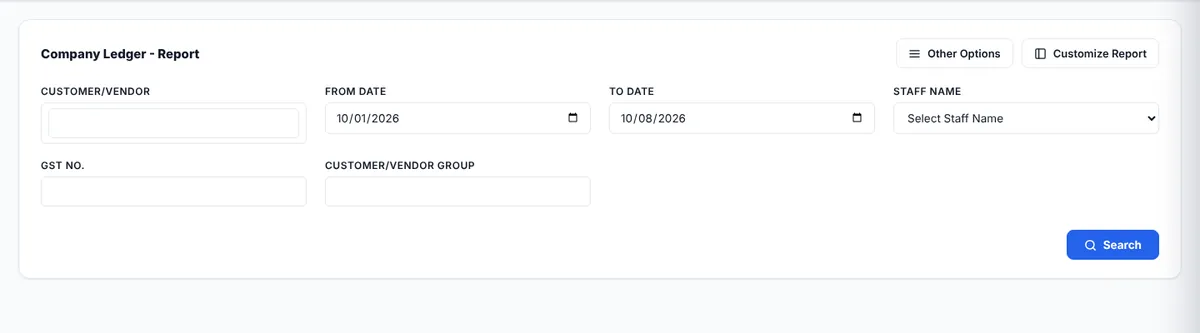
View a ledger
- Choose the Customer/Vendor.
- Set the From Date and To Date. Optionally filter by staff, GST number or group.
- Tick Show Item Detail to list the items of each bill, or Group Record By Customer.
- Click Search.
Reading the ledger
- Columns: Date, Particulars, Vch Type, Invoice No, Debit, Credit and Balance.
- A sale invoice is a debit (the customer owes you). A receipt from them is a credit.
- A purchase bill is a credit (you owe the vendor). A payment to them is a debit.
- The closing balance shows what is outstanding: a debit balance is receivable, a credit balance is payable.
Share it
Use Customize Report to choose the columns (GST, addresses, transport details, payment notes and many more), then Print, E-Mail, Export or Download it to send to the party as a statement of account.