












How can we help?
Cashbook
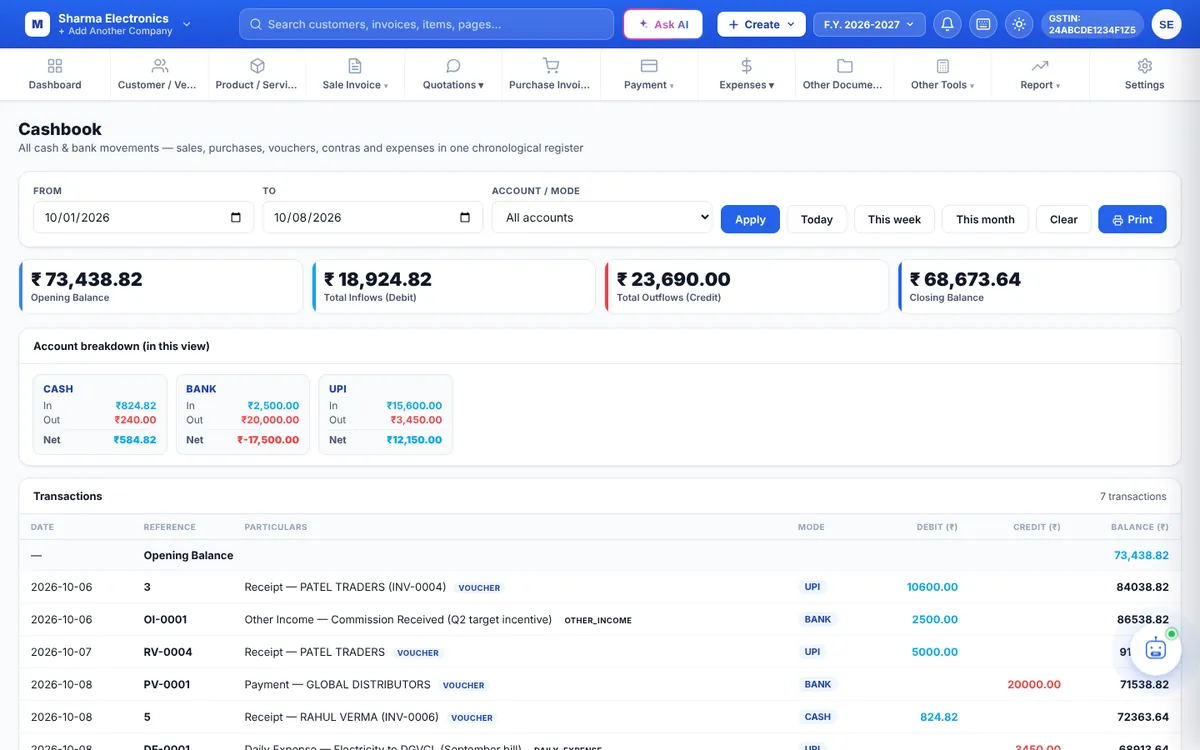
The Cashbook shows every movement of money in and out of your business, in date order, with a running balance — sales, purchases, receipts, payments, contra entries, expenses and other income.
Where to find it: Report ▾ → Cashbook
Use the cashbook
- Set From and To, or click Today, This week or This month.
- In Account / Mode choose All accounts or one of CASH, BANK, UPI, CHEQUE or CARD — for example CASH to match your cash drawer.
- Click Apply.
What you see
- Opening balance, total money in, total money out and closing balance.
- Account breakdown: the totals for each mode in the period.
- Transactions: Date, Reference, Particulars, Mode, Debit, Credit and Balance.
Click Print for a printable cashbook. Clear resets the filters.
Tip: Record cash deposited in the bank as a Contra voucher so both your cash and bank balances stay right. Vouchers