












How can we help?
Sale Outstanding (amount receivable)
Sale Outstanding shows every customer who owes you money and for how long, so you know whom to follow up first.
Where to find it: Sale Invoice ▾ → Sale Outstanding (also under Report ▾)
The aged receivables view
- Summary cards: Total Receivable, Customers with Dues and Pending Invoices.
- Aging Breakdown: how much is 0–30, 31–60, 61–90 and 90+ days old, based on the due date (or invoice date when there is no due date). Green is recent, red is oldest.
- Customer table: phone, number of bills, amount in each age bucket, total due and the oldest bill’s age. Search by customer name, phone or invoice number, and use All Time / Today / This Month / This Year.
- Click a customer to see their unpaid invoices and open any of them.
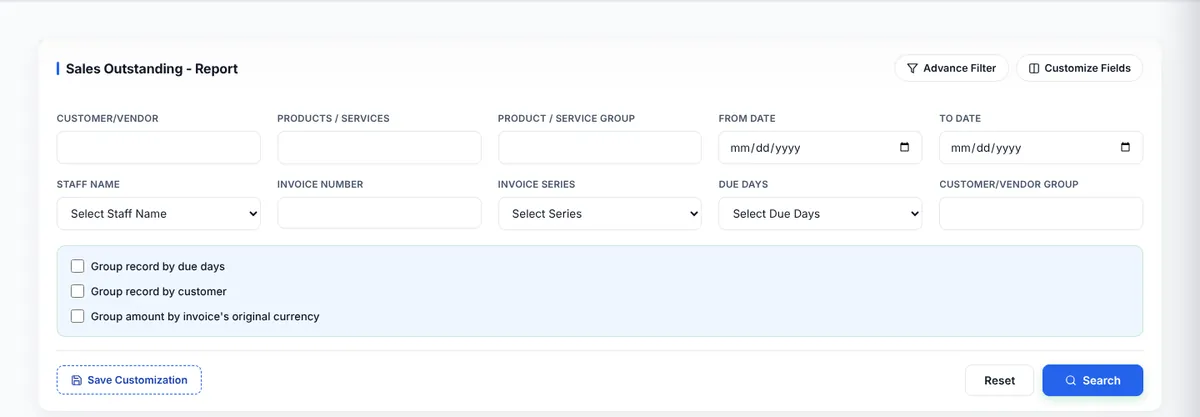
The Sales Outstanding report
The report view lets you filter by customer, products, product group, dates, staff, invoice number and series, due days and customer group, and to Group record by due days or by customer. Use Customize Fields to pick columns, then Print, E-Mail, Export or Download. How reports work
Collect the money
- Send a reminder with the bell icon in the invoice list. Send a payment reminder
- When paid, record the payment. Record a payment